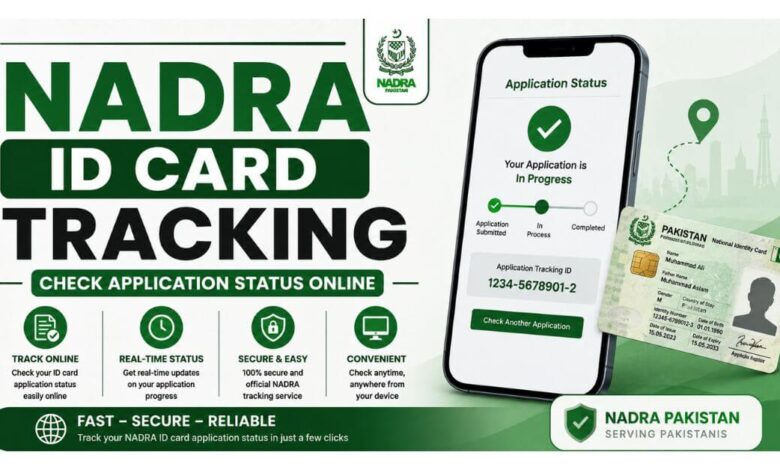
In 2026, it will be simpler than ever to monitor your NADRA ID card application. You can check the status of your application using official NADRA digital services, regardless of whether you have filed for a new CNIC, CNIC renewal, modification, or NICOP.
Candidates can monitor the status of their application and see whether their card is being verified, printed, sent, or available for pickup via the Pak-ID web portal, Pak-ID mobile app, or SMS tracking service.
Why Track Your NADRA ID Card Application?
Regularly checking the status of your application might assist you:
- Keep an eye on the verification procedure
- Be aware of the printing time of your card.
- Please verify whether your application has been sent.
- Determine any potential problems or delays
- Steer clear of pointless trips to NADRA offices
- Keep yourself updated regarding delivery or pickup.
Keep the number on your application receipt or confirmation message secure since it is your Tracking ID.
NADRA ID Card Tracking Methods:
NADRA offers multiple methods for monitoring applications:
| Method | Requirement | Result |
|---|---|---|
| Pak-ID Web Portal | Email + Tracking ID | Detailed status |
| Pak-ID Mobile App | Account + Tracking ID | Application updates |
| SMS 8400 | 12-digit Tracking ID | Quick status message |
How to Track NADRA ID Card Online:
Using NADRA’s official online services is the simplest choice.
- Step 1: Visit the NADRA Website
- Access the appropriate Pak-ID service by visiting the official NADRA website.
- Step 2: Log In
- Utilize the password and email address linked to your Pak-ID account.
- Step 3: Open Your Applications
- Go to the application-tracking or existing applications area.
- Step 4: Enter Your Tracking ID
- Enter the 12-digit Tracking ID that was given to you at the time of application submission.
- Step 5: Check Your Status
- The most recent status of your application will be shown by the system.
- Depending on the application stage, you can get messages like these:
- Under Verification
- In Process
- Printing
- Dispatched
- Ready for Collection
NADRA ID Card Tracking Through Pak-ID Mobile App:
Another easy way to keep an eye on your NADRA application is with the Pak-ID mobile application.
The application can offer functionalities like:
- Application tracking
- Application history
- Status notifications
- Account management
- Biometric or secure login features, where supported
Steps to Track Through the App
- Install the official Pak-ID program.
- Use your registered account to log in.
- Go to the tracking or application history section.
- Choose the appropriate NICOP or CNIC application.
- Verify the most recent information and available updates.
Use only the official software that you downloaded from an approved app store.
NADRA ID Card Tracking by SMS 8400:
If applicants would rather not use the internet, they can alternatively use the SMS tracking service.
How to Check NADRA Status via SMS
- On your phone, launch the messaging app.
- Enter your 12-digit Tracking ID here.
- Forward the tracking ID to 8400.
- Await the status update.
When you need a rapid status update or have restricted internet connectivity, this approach can be helpful.
Check Also: 1312 Himmat Card – Apply Online & Eligibility Guide
Understanding NADRA Application Status:
Depending on the processing step, several status signals may appear in your NADRA tracking result.
- Under Verification: We are comparing your application details with NADRA records.
- In Process: The application is being processed internally.
- Printing: The manufacture of your CNIC or NICOP card is underway.
- Dispatched: Depending on the delivery option chosen, the card has been mailed for distribution or transferred to the appropriate NADRA center.
- Ready for Collection: The card can be picked up in accordance with the guidelines that came with your application.
NADRA ID Card Processing Time:
The service category chosen throughout the application process may have an impact on processing time.
The processing estimates that are frequently given are roughly:
| Service | Approximate Processing Time |
|---|---|
| Normal | Around 30 days |
| Urgent | Around 15 days |
| Executive | Around 7–10 working days |
These are approximations that may change based on workload, holidays, verification needs, and other factors.
What If Your NADRA Status Is Not Updating?
An application may occasionally stay in the same status for a longer period of time than anticipated. Among the potential causes are:
- Additional verification requirements
- Biometric issues
- Document discrepancies
- Technical delays
- Public holidays
- High application volume
Check the official NADRA support channels for help if your application has taken longer than anticipated to process.
What Should You Do If Your Application Is Delayed?
If you haven’t updated your status in an exceptionally long time:
- Use an approved NADRA channel to check the tracking status once more.
- Verify the accuracy of your tracking ID.
- Look for requests from NADRA in your SMS or email.
- Get in touch with NADRA customer service.
- Bring your application receipt or token to a NADRA center if needed.
NADRA Helpline:
You can get in touch with NADRA via its official support channels if you need help with your application.
- Mobile users: 1777
- Overseas and landline: +92 51 111 786 100
Before disclosing personal information, always confirm contact details on the official NADRA website.
Important Tips for NADRA Application Tracking:
When monitoring your CNIC or NICOP, bear the following in mind:
- Safeguard your 12-digit tracking ID.
- Use the official NADRA apps and websites only.
- Never give out your OTP or password to someone else.
- Regularly check your registered mobile number and email address.
- Unofficial websites claiming to offer NADRA tracking should not be trusted.
- Follow NADRA’s instructions as soon as possible if your application needs further verification.
Conclusion:
Applicants can keep track of their CNIC, renewal, modification, and qualified NICOP applications thru the NADRA ID Card Tracking 2026 – Check Application Status Online process without having to regularly visit a NADRA office.
To find out the most recent status, you can utilize the Pak-ID web portal, mobile app, or SMS tracking service. To safeguard your personal information and get reliable updates, only use approved NADRA channels and keep your Tracking ID secure.
Frequently Asked Questions:
-
How can I track my NADRA ID card application?
Depending on the service available for your application, you can track it via the Pak-ID mobile app, website, or SMS service using 8400.
-
What is the NADRA Tracking ID?
The number that comes with your NADRA application receipt or confirmation is known as the Tracking ID. It is employed to recognize and keep an eye on your application.
-
Can I track my CNIC through SMS?
Yes, applicants can get a status update by sending their 12-digit Tracking ID to 8400 using the given tracking method.